
Mitra — one calendar to plan your events and tasks, self-hosted and synced with the calendars you already use.
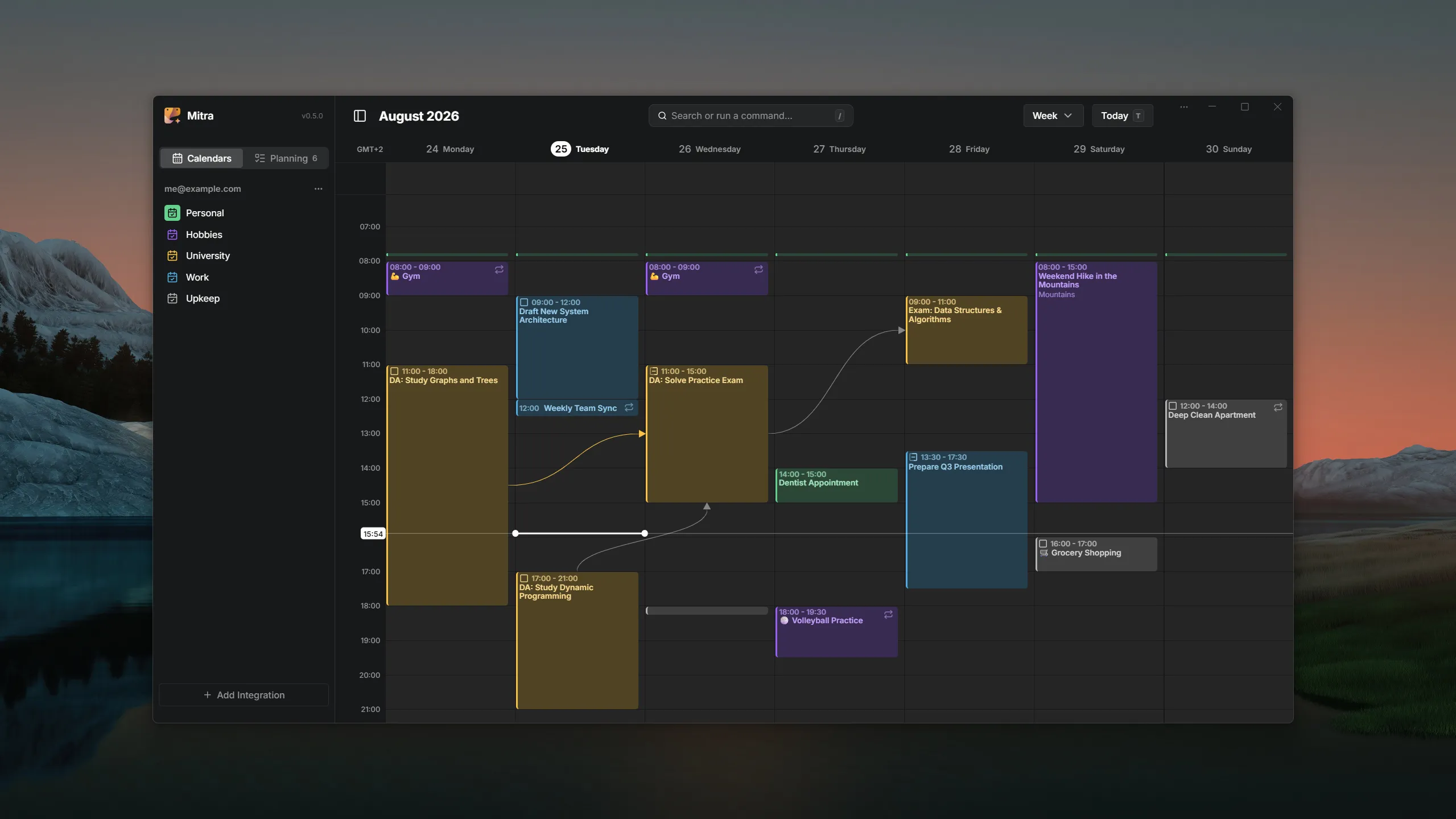
One calendar to plan your events and tasks. Mitra is a self-hosted, private planner where your tasks sit on the same timeline as your events — and it plugs into the accounts you already have (CalDAV, Google Calendar, Apple Calendar, Notion) instead of replacing them.
NOTE
Mitra is early and moving fast. Expect rough edges and breaking changes before 1.0.
Start here
Section titled “Start here”- Installation — get a container running in a couple of minutes with Docker Compose.
- Configuration — name your instance, set its public URL, and learn how Mitra is configured.
- Environment variables — the complete reference for every setting.
Connect calendars & tasks
Section titled “Connect calendars & tasks”Mitra brings in the calendars and task databases you already use and syncs them in the background.
- Overview — how syncing, background daemon, and read-only support work across all providers.
- CalDAV — connect any CalDAV server (Nextcloud, Radicale, Fastmail, mailbox.org, …). Connects straight from the app, no deployment setup.
- Google Calendar — needs a one-time OAuth setup of your deployment.
- Apple Calendar (iCloud) — connect with an app-specific password.
- Calendar Subscriptions — subscribe to published
webcal://or.icsfeeds, read-only. - Notion — turn Notion database views into two-way task sources.
- Tempo — sync Jira worklogs two-way and track time alongside your events.
Use Mitra
Section titled “Use Mitra”Day-to-day behaviour, whichever accounts you connected.
- Calendars & task lists — choose what gets imported, then rename, recolor, reorder and hide it; and pick where new entries land.
- Unscheduled tasks — where tasks with no date live, and how to drag them onto the calendar (and back off it).
- Routines — how daily habits and routines display as compact day marks in month and year views.
- Relationships — link tasks and events across calendars, organize subtasks, and track dependencies.
- Participants & invitations — invite people to an entry and follow their replies.
- Reminders & notifications — how push reminders work and what they need.
- Location autocomplete — the geocoder behind the location field.
- Keyboard shortcuts — drive the views, navigation and entries from the keyboard.
- Settings — theme, language, the view mitra opens on, and what a new entry starts out as; searchable, and mostly reachable from the command palette.
Administer your instance
Section titled “Administer your instance”- Multi-user & sign-in (OIDC) — share one deployment with family or a team.
- Backups — everything lives in one directory; back that up.
- Updates — the update indicator and how to disable it.
- Health checks — the endpoint for orchestrators and uptime monitors.
- Logging — verbosity levels for diagnosing problems.